Authentication is no longer just a "login screen"—it is the first line of defense in modern application security. From personal banking to global e-commerce, the mechanism you choose dictates whether your user's sensitive data remains private or becomes a headline in the next major data breach.
Why Authentication is Your Top Priority
Without robust verification, your application is a playground for unauthorized access and session hijacking. However, developers today face a "Trilemma": balancing Security, Scalability, and User Experience (UX).
To help you navigate this, we’ve broken down the most effective authentication techniques used by industry leaders today.
1. Multi-Factor Authentication (MFA)
MFA requires users to provide two or more verification factors to gain access. This significantly reduces the risk of password-based attacks.
- How it works: Something you know (password) + something you have (OTP, hardware key) + something you are (biometrics).
- Pros: Extremely high security; mitigates the impact of stolen passwords.
- Cons: Can add friction to the user journey if not implemented smoothly.
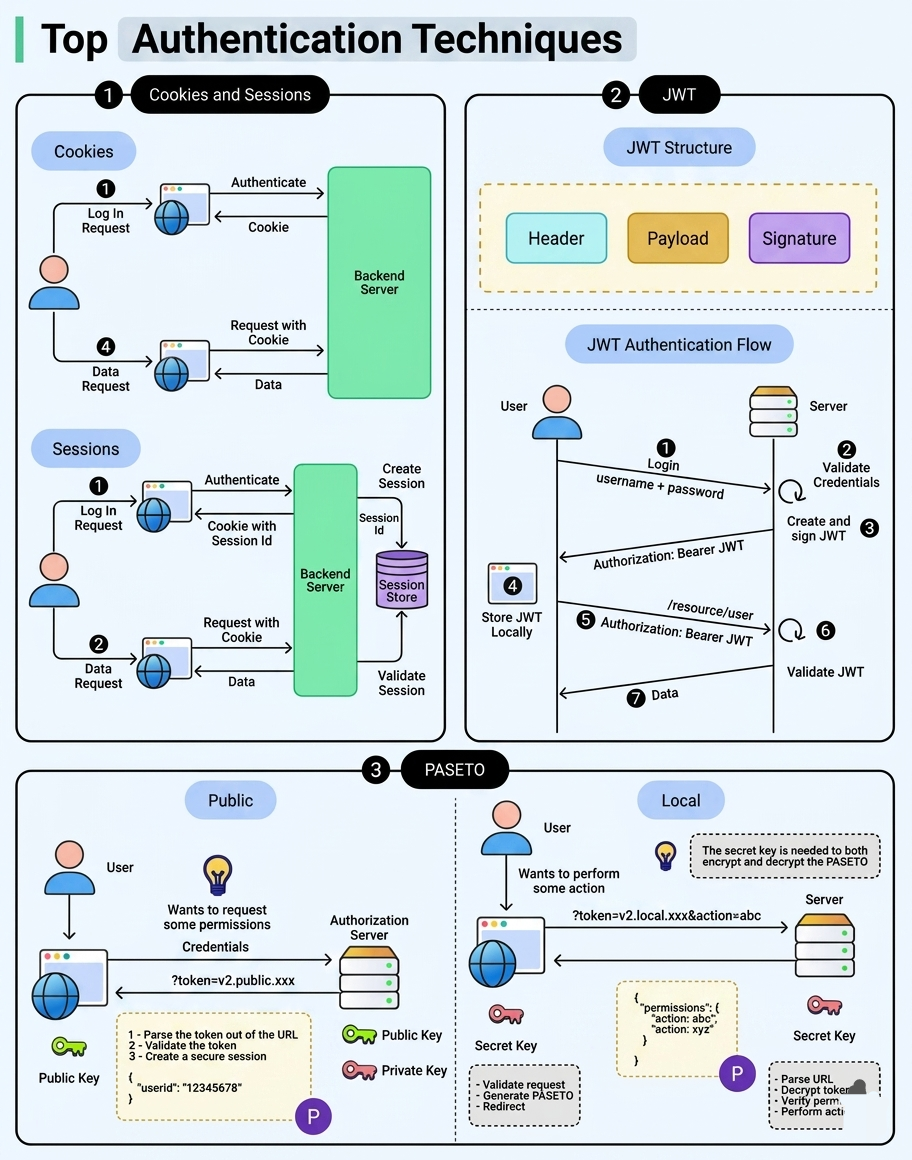
2. Token-Based Authentication (JWT)
JSON Web Tokens (JWT) are the gold standard for modern web and mobile applications, particularly for RESTful APIs.
- How it works: After login, the server issues a signed token. The client stores this (usually in localStorage or a cookie) and sends it with every subsequent request.
- Pros: Stateless (saves server memory), works across different domains, and is highly scalable.
- Cons: Tokens can be large; if a secret key is leaked, the entire system is compromised.
3. OAuth 2.0 and OpenID Connect (OIDC)
Ever used "Login with Google" or "Sign in with GitHub"? That is OAuth/OIDC in action.
- How it works: It allows a third-party service to provide identity verification without the user sharing their actual password with your app.
- Pros: Superior UX; users don't have to remember new passwords; handles authorization and identity simultaneously.
- Cons: Implementation can be complex; creates a dependency on external providers.
4. Passwordless Authentication
The future of security is removing the weakest link: the password.
- How it works: Uses Magic Links (sent via email), SMS codes, or FIDO2/WebAuthn (biometrics like FaceID or Fingerprint).
- Pros: Eliminates credential stuffing attacks; incredibly fast login for users.
- Cons: Reliance on email/phone access; WebAuthn requires modern browser support.
5. Single Sign-On (SSO)
Crucial for enterprise environments where users need access to multiple independent software systems.
- How it works: A central identity provider authenticates the user once, granting access to all connected applications.
- Pros: Boosts productivity; centralizes security policy management.
- Cons: A "Single Point of Failure"—if the SSO account is hacked, every connected app is at risk.